Chat & Social Tools
getty
getty is the platform to boost your live streams on Odysee and track your channel's growth. It includes overlays, tip alerts, chat, giveaway systems, creator analytics, and much more. It integrates with Odysee for login and configuration of all your widgets and overlays.
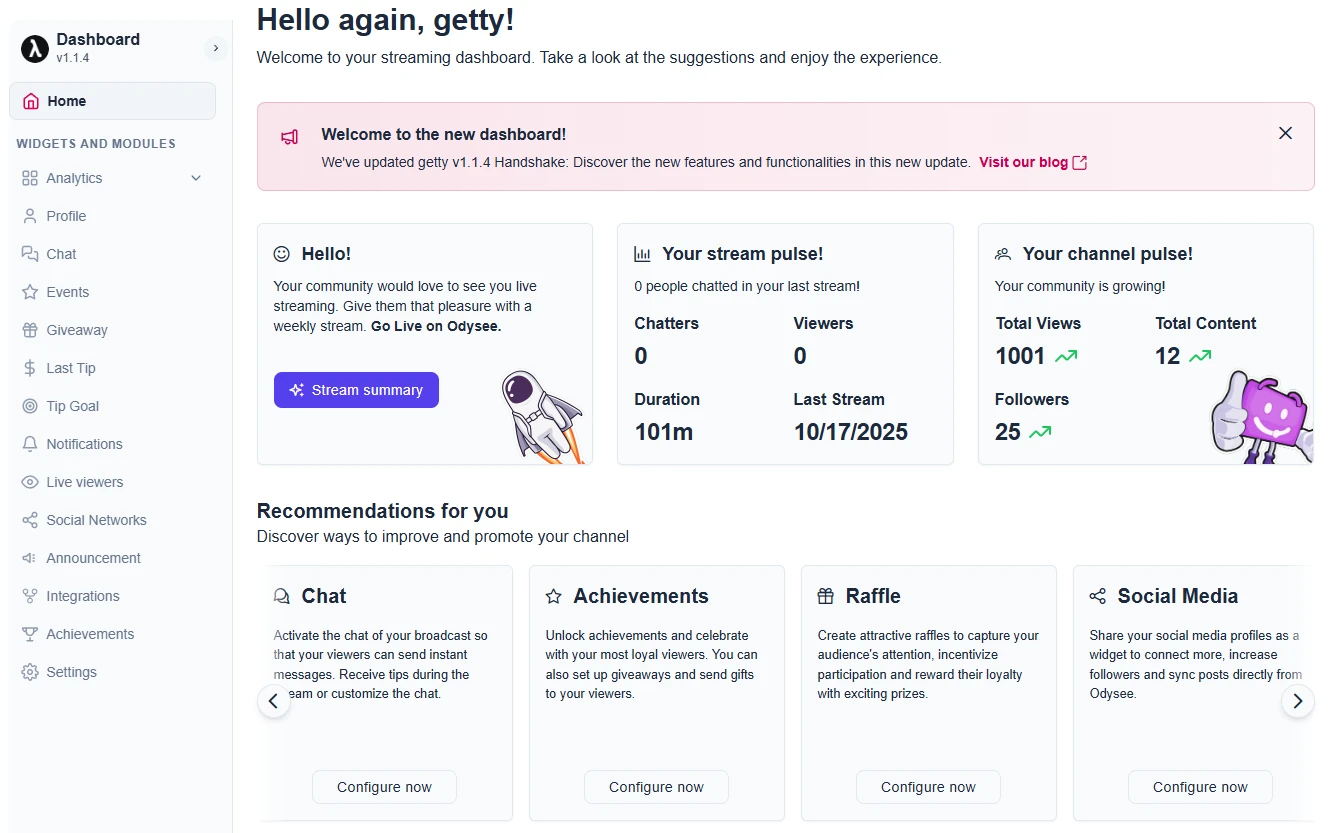
A list of features
- Quick start: Log in with your Odysee account and set up your channel and livestream analytics.
- Notifications: Get alerts for your tips, chat messages, donation goals, and the latest tips instantly.
- Customization: Change colors, styles, titles and more to fit your style.
- Widgets and overlays: Activate only the ones you need for your live streaming.
- Integration: Send notifications to Discord or Telegram for tips, when you go live, or upload videos.
- Text-to-Speech (TTS): Listen out loud to chat messages when you get tips!
- Custom Commands: Boost the hype during giveaways with your own commands.
- Announcement: Create custom banners that you can display in OBS Studio or Meld.
- Social media: Display your social media accounts with overlays in OBS or Meld.
- Live Chat: Add a chat widget to your OBS or Meld with different themes.
- Stream history: Real-time and historical statistics of your lives on Odysee.
- Achievements: Unlock achievements for live streams or followers with real-time notifications.
With getty, Odysee streamers and creators get powerful tools to interact with their audience. Everything is free, simple, and requires no registration: just log in with your Odysee account. Visit getty for more information.
Social Stream
This app takes comments from your livestream chat and displays them on screen, as well as reactions and other types of interaction in real time during the stream. These interactions can be controlled using the Social Stream app available for Chrome, MacOS and Windows.
What are the main features?
- Customization: You can choose the layout, colors, and placement of messages on the screen.
- Advanced Moderation: Tools to filter and moderate content efficiently.
- Voice Chat Messages: You can play a text message to be played back by a system voice.
We encourage you to explore the full documentation of the Social Stream app and run your own experiments, as well as any customization of widgets or featured messages. Social Stream website
You can visit the official Social Stream website and learn more about the features and integrations. All documentation is available. There are also video tutorials. Consolidate your live social messaging streams and more.